Rigging Workshops & Tutorials
Make sure you download the source files so you can follow along.
Welcome to my Rigging in Maya series.
Here you will find the assets which will allow you to follow my YouTube series, (Videos 1 to 17) and build your own rigs, in both Maya 2019 and 2017 formats.
The plan with this series is to take things back to basics as I go through each element separately, so you get a clearer understanding of the whole rigging process. Once the fundamentals have been covered, I will then move on to more advanced systems so by the end you will have all the tools you need to build your own complex rigs.
Now includes all the scripts used in the videos!
Blendshape Rigging Tool
IK <> FK Matching Tool
Mirror Rig Tool
Quick Limb Tool
Joint Arc Tool
Find all the videos below
The videos cover -
Joint Fundamentals
Connections & Constraints
Control Creation
Set Driven Keys & Utility Nodes
IK & FK Limb Creation
Hand Rigging
Reverse Foot Rig
Spine, Head & Eye Rigging
Painting Skin Weights
Roll & Twist Joints
Squash & Stretch
Joint Based Facial Rig
Blendshape Based Facial Rig
Space Swapping
Global Controls - Character Scale etc.
ADDED BONUS: Now also includes the 4k textures PLUS the Rigging in Maya Script Pack!
As these assets are intended for educational purposes only, the texture resolution has been reduced and a watermark added.
You must read and agree to the terms and conditions before downloading the Rigging In Maya assets & scripts.
Welcome to my Rigging in Maya series.
Here you will find the assets which will allow you to follow my YouTube series, (Videos 18 Onwards) and build your own rigs, in both Maya 2020 and 2017 formats, (where possible).
With this section of the course you will be looking at more advanced areas of rigging as we build an advanced quadruped rig, complete with a full facial rig, making it ready to go into a production environment.
Now includes all the scripts used in the videos!
Ribbon Tool
Quick Limb Tool
Dynamic Joint Chain Tool
ADDED BONUS: Now also includes the 4k textures PLUS the Rigging in Maya Script Pack!
Find all the videos below
BONUS
How Do I Build a Quadruped Rig?
The videos cover -
Ribbons
Model & Rig Preparation
Driver Skeleton
Automatic Limb Rigging using Python - Joint Chains
Automatic Limb Rigging using Python - IK & FK Systems
Automatic Limb Rigging using Python - Squash & Stretch
Automatic Limb Rigging using Python - Roll & Twist Joints
Automatic Limb Rigging using Python - Volume Preservation
Limb Ribbons
Limb Ribbon Deformers
Spline & Ribbon Based Spine
Spine, Neck & Head
Dynamic Tail & Ears
Paw Joystick Controls - Roll & Bank
Additional Paw Controls
Ribbon Based Facial Rig
IK, FK, & Spline Tongue Rig
Skinning with ngSkinTools
Global Control Support
Finalize Your Rig
You must read and agree to the terms and conditions before downloading the Rigging In Maya assets & scripts.

This video was originally going to cover adding the IK and FK controls into the limbs of our dog, but I decided to take another approach.
I’ve covered basic IK FK blending before, plus I recently released a video showing different quadruped rig configurations, so I didn’t want to just repeat myself and take you through things I’ve shown before.
If you would like to refer to those videos there are links in the description below.
As this is a more advanced section of rigging, I decided that I would instead introduce you to some scripting.
So, as well as building the IK FK legs, I will show you how to automate the process.
So, over the next few videos. you will essentially be creating your own #automatic limb rigging tool.

In the previous video we began writing a script which will #automatically rig a quadruped limb for us.
We’d got to the point where we’d created all the main joint chains, so let’s continue with that now as we add in the IK and FK functionality.
Because we are picking up directly from video twenty-one, I would highly recommend you go back and watch that tutorial before starting on this one.

In videos twenty-one and twenty two we created a script which will automatically rig our quadruped limbs. Now so far this is quite basic as it simply adds the IK and FK functionality into both the front and hind legs.
What I want to do with this video is take the script further and make the limbs stretchy.
Again, because we are picking up from where the previous video left off its highly recommended that you watch the first two before this one.

Well, when I was looking into these videos, I initially thought we could cover writing this script in just one. How wrong I was!
We are now onto video four and in this one we will automate the creation of the roll joints and the associated systems. This will give us a great automatic limb rigging tool which we can use for this, and other projects.
It will also lead us nicely into the next part of our quadruped rig where we will add the ribbons which the driver joints will ultimately drive.

We are now on the last part of this miniseries of videos where we look into creating an automatic limb rigging tool. There are other areas of scripting I’d like to cover but I will look into those in future videos.
All we are going to do in this video is add volume preservation which will enhance the overall look of our stretchy limbs.
Now this isn’t strictly something that’s needed for this character, but then again neither are stretchy limbs, but I thought I would include it in the script so you can use it on other characters and creatures you might rig in the future.

I recently finished working through a series of videos where I introduced you to Python. This was part of the main, Rigging In Maya series and helped us to create an automatic quadruped rigging tool.
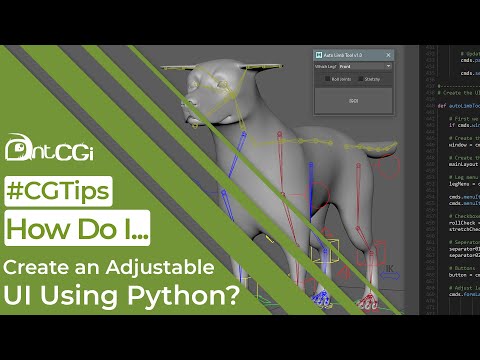
Even though I covered lots of areas of scripting, I didn’t get the opportunity to finish the script off and give it a proper user interface.
So what I want to do in this video is take the script and rectify that by showing you how to build a scalable user interface while also making the tool more flexible.